 zelyq
zelyqSeparate staging and production
Choose a machine and variables for each environment. Require an admin’s approval for protected environments, or freeze deployments during a release window.
Deploy from a pipeline to machines you control. Give each environment its own credentials, check the release, and keep a way back.
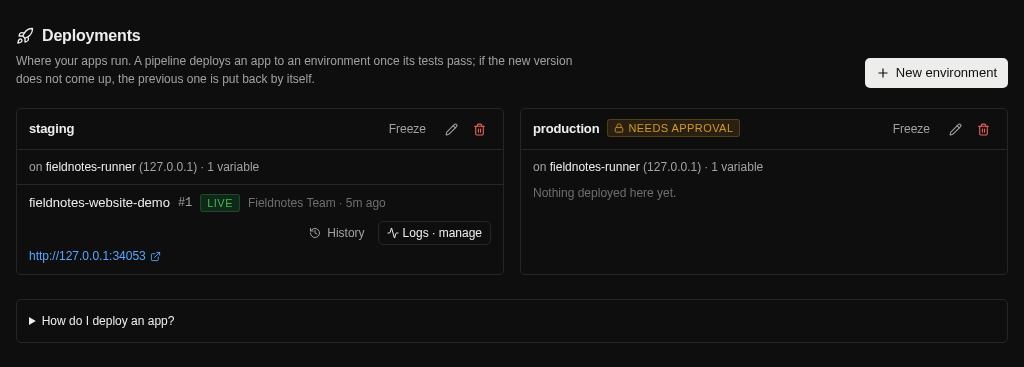
Choose a machine and variables for each environment. Require an admin’s approval for protected environments, or freeze deployments during a release window.
Use an existing Dockerfile or let Zelyq generate one for supported Node, Python, Go, and static applications. The build runs on the target machine.
A failed health check causes the deployment to fail and the previous version to be restored or retained, depending on the deployment mode.
Follow logs, view CPU and memory, restart or stop the app, and inspect release history. Promote the image tested on staging without rebuilding it.
Follow the guide for configuration details and the complete workflow.
Open the documentationYes. Give an app an exact address or configure an environment domain. DNS, network ports, and the chosen HTTPS mode must be configured correctly.
No. Domain-based deployments use the proxy to start and health-check the new version alongside the current version before switching traffic. Direct-port deployments can have a brief interruption.
You connect your own hosts. Current deployment environments use Docker on supported Linux or macOS machines over SSH; pipeline runner OS support is broader.
Run Zelyq yourself and connect the parts your team needs.