 zelyq
zelyqReference instead of repeating
Use a Vault entry in app variables, model settings, pipeline steps, or deployment environments. Change the stored secret without editing each reference.
Keep secrets encrypted, reference them across the workspace, and give other systems access through scoped service keys.
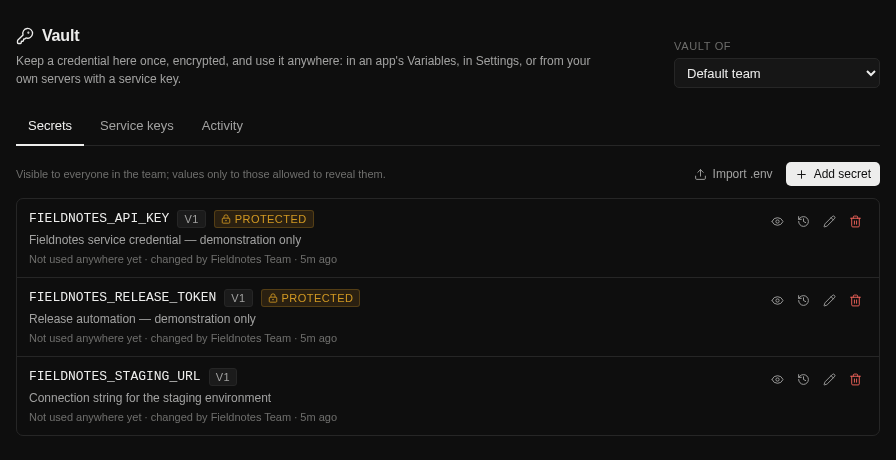
Use a Vault entry in app variables, model settings, pipeline steps, or deployment environments. Change the stored secret without editing each reference.
See previous values and restore a version. Reveals and changes are recorded in the team’s Activity.
Mark sensitive keys as Protected. Admin and owner permissions control their use and management.
Create service keys with permissions, name patterns, optional IP restrictions, and expiry. The API and CLI connect your other systems.
Follow the guide for configuration details and the complete workflow.
Open the documentationThis example uses a secret already stored in Vault. The value is resolved when the step runs.
env:
  DATABASE_URL: vault://DATABASE_URL

stages:
  - name: Test
    steps:
- run: npm testNo. Supported credential fields can accept a value directly or a reference from Vault. Vault is useful for sharing, versioning, and external access.
References use the new value when it is next resolved. App variables take the change on restart; running services need the appropriate restart or deployment.
Anything sent to a browser is public. Credentials belong in server-side code; Zelyq does not send app secret variables into a plain React frontend.
Run Zelyq yourself and connect the parts your team needs.